 Experience Works
Interface themes and controls
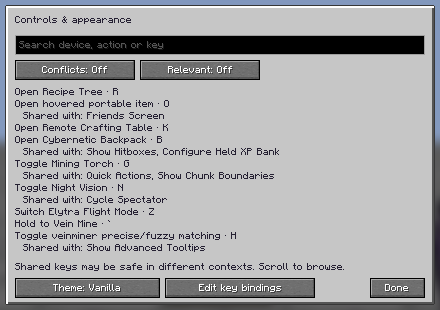
Open Options → EW controls & appearance, from the title screen or while playing. The client-only Theme button switches immediately between Rune Forge and Vanilla and saves to config/experience-works-interface.properties. The preference covers Experience Works panels, Recipe Tree and guides, plus vanilla container textures, recipe-book controls, shared buttons, sliders, checkboxes and menu surfaces. Layout, controls, item counts and inventory handling stay the same. Switch themes without restarting or reloading resources.
Rune Forge retains readable light surfaces within darker tier frames: Infused green/yellow, Energised purple/yellow, Emblazoned warm orange, Enderic violet/green. Vanilla uses familiar neutral greys with raised panel bevels and recessed inventory slots on Experience Works screens, and restores Minecraft's original GUI textures. Rune Forge gives vanilla inventories a light violet material, rounded frames and a gold trim, with dark purple buttons for readable white labels. Native texture dimensions, progress indicators and animation UVs are preserved. HUD hearts, hunger, hotbar, item artwork, map content and physical sign materials retain their gameplay colours. Third-party custom GUI artwork is not replaced.
The same screen lists actual current mod key bindings. Search device/action, category or key text; Conflicts shows bindings shared with vanilla or other mods. A shared key can be intentional when the actions run in separate contexts. Relevant narrows the list using carried/equipped device families; it is a convenience filter rather than a guarantee that a module is installed. Edit key bindings opens Minecraft's normal key-bind screen, which remains authoritative. Scroll to see more bindings.
There is no recipe, XP cost or server setting for this interface preference.
Renderer · Controls screen
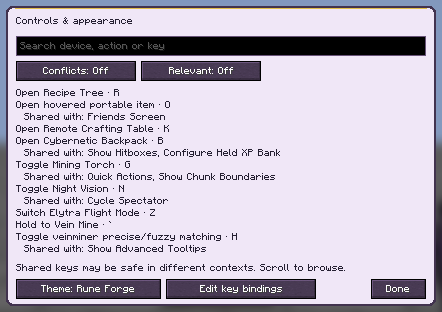
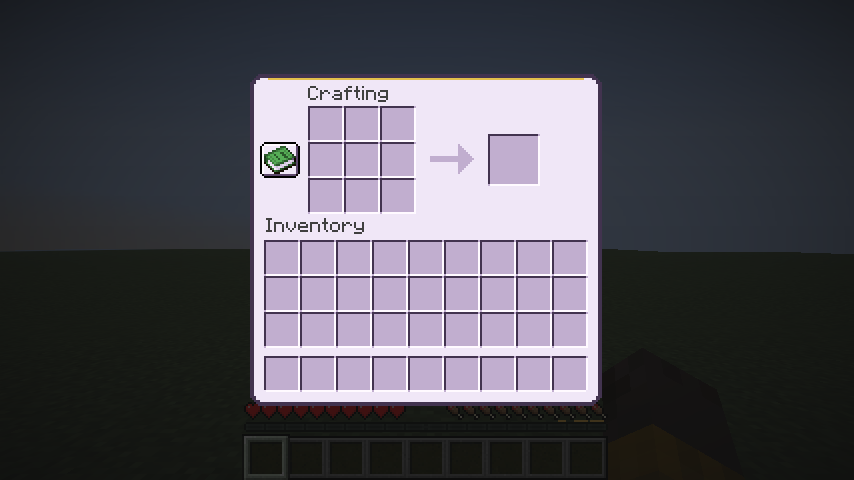
Vanilla crafting table using Rune Forge, with its original slot layout.
Experience Works controls panel using the Vanilla skin.
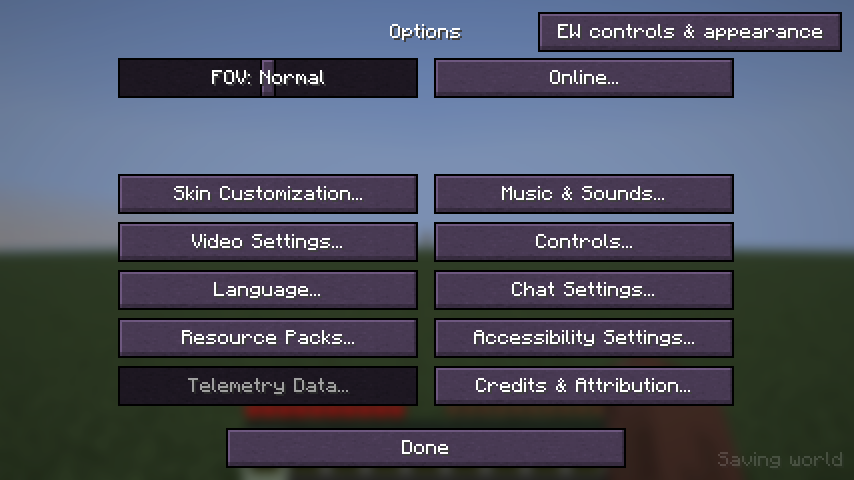
EW controls and appearance is available from the Options screen. Captured in game on 23 November 2026.