 Experience Works
Pocket Planet Orb
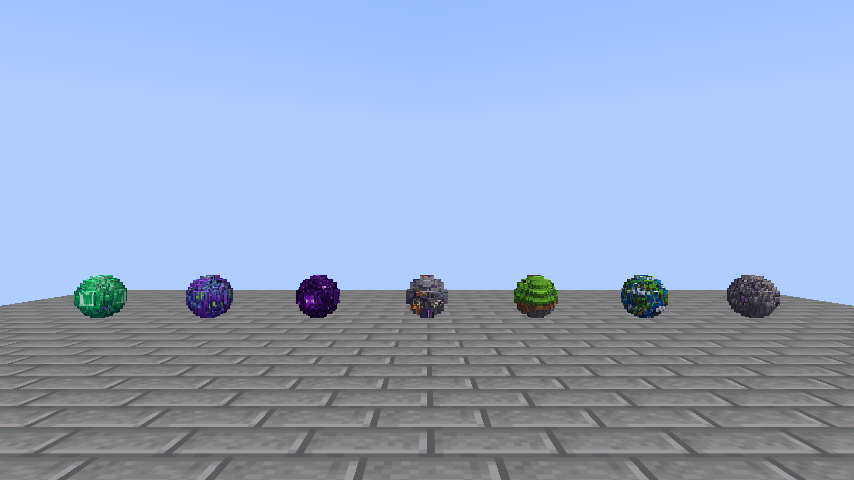
Sneak-right-click a block while holding a Pocket Planet of any preset to place its orb. Right-click the placed orb to enter its dimension without carrying the item. The first use of an unused orb creates and links the planet. Anyone who can interact with the orb can visit that same world.
Break the orb to pick up the original item, with its preset and dimension link intact. A held Pocket Planet can return you to where you entered. An Exit Orb near the arrival point offers a way home without an item. Both kinds of travel cost no XP.
Rename the Pocket Planet in an anvil before placing it. Look directly at its placed orb to see the name floating above it. Unnamed orbs display Void, Mining, Superflat, Cobble, or Overworld, matching their preset. The name stays with the item when broken and after world reloads. No visor is required.
The orb now floats without a stand and gently bobs. Its interaction outline follows the stepped sphere. Entrance orbs display the stored planet type; the emergency Exit Orb is mint green with a return doorway rune.