 Experience Works
Throwable Torch
Wiki home · Item index · Mining and combat

Actual 16×16 game texture: vanilla wooden handle and silhouette with a shaded purple tip.
Purpose and controls
Right-click to throw a purple torch using Ender Pearl launch speed and trajectory. It does not teleport you or damage a target. It places a standing torch on a supported floor or a wall torch on a suitable side face where it lands. Interacting with ordinary usable blocks still follows Minecraft’s interaction rules.
Each Survival throw consumes 1 Throwable Torch. They stack to 64, have a default 20-tick (1-second) throw cooldown, and need no XP or power crystal. Creative does not consume the held item. Placed torches emit light level 14, the same as vanilla torches, with purple particles. Break one to recover the same throwable item for reuse.
If the impact has no valid support, is obstructed, is in liquid, or disallows placement, the Survival projectile drops its torch as an item instead of leaving a floating torch. It never overwrites solid blocks, machines or liquid. Placement respects loaded chunks, world bounds and the owner’s building permissions; it does not bypass Adventure restrictions. A projectile still flying after 1,200 loaded ticks (60 seconds) drops its item and disappears. Creative misses do not produce extra dropped items.
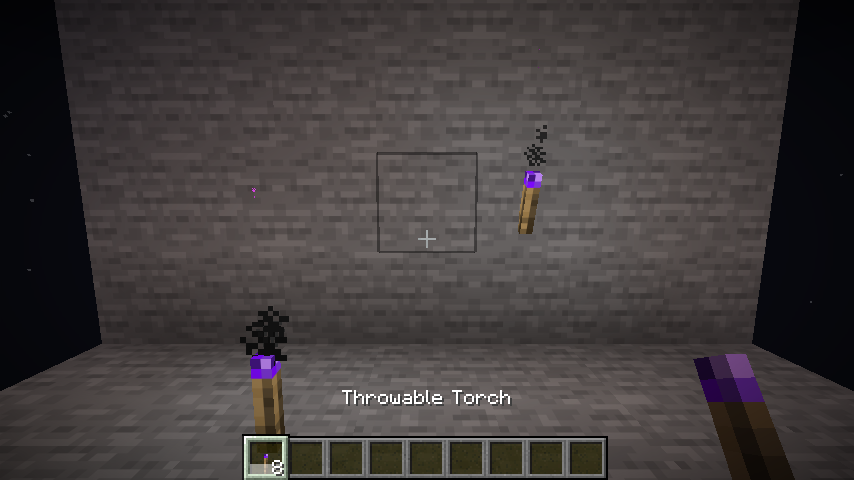
In-game screenshot: standing and wall-mounted Throwable Torches on vanilla stone.
Recipe
8 ordinary Torches around 1 Energetic Dust → 8 Throwable Torches.
TTT
TDT
TTT
T = Minecraft Torch, D = Energetic Dust. Exact recipe.
Configuration and source
Building-module content switches: content.throwable_torch, content.throwable_wall_torch. Defaults: throwable_torch.cooldown_ticks=20, throwable_torch.light_level=14, throwable_torch.lifetime_ticks=1200. Restart after editing.
Item and launching · Impact placement and recovery · Blocks · Configuration