 Experience Works
Minecraft Java 26.3 · Fabric
Your experience.
Put to work.
Build a workshop. Forge your own loadout. Carry a world in your pocket. A connected collection of Minecraft systems, powered by XP and shaped by your level.
XP is the fuel. Your level is the power.
One progression.
Many ways to play.
Discover Experience Works
What will you build?
Explore the systems together or find the one that fits your next project. Every feature below links to its current player guide.

Craft & build
Experience is the fuel
Bind a Power Crystal, bank your XP and let your player level set the pace of your machines.
Read the guide
Craft & build
A connected workshop
Browse shared storage, request recursive crafts and keep essentials stocked through your pipe network.
Read the guide
Craft & build
Machines, soup & miniature suns
Grind, smelt and reconstruct materials. Build a solar farm, export its electricity and maintain its fusion reaction.
Read the guide
Craft & build
Build beyond one block
Lay paths, walls and staircases. Higher tiers add exchange, hole filling and Enderic building templates.
Read the guide
Explore & equip
Gear that grows with you
Progress from Infused Alloy to Enderic tools, weapons, armour, shields, staffs and wings.
Read the guide
Explore & equip
Make your own loadout
Fit reusable modules to cybernetics: maps, movement, reach, feeding, repair and a wearable backpack.
Read the guide
Explore & equip
Your own corner of the universe
Create Pocket Planets, design custom worlds and connect your destinations through Portal and Nexus Orbs.
Read the guide
Explore & equip
Go somewhere dangerous
Descend through Wardkeep and the Ashen Crucible. Goblin security guards its vaults; loot is personal to each player.
Read the guide
Life & multiplayer
A little help around the base
Give miniature golems tools and a home inventory. They farm, chop, tend animals, harvest hives and fish.
Read the guide
Life & multiplayer
A touch of the arcane
Grow Wardblooms and Tetherblooms, collect special bee wax and shape protective lanterns, runes and flames.
Read the guide
Life & multiplayer
A home you can share
Form a team, claim your chunks and build together. Dungeon rewards remain independent for every visitor.
Read the guide
Life & multiplayer
Answers inside the game
Recipe Tree connects recipes, uses, acquisition sources, bookmarks, shopping lists and the in-game guide.
Read the guideFour tiers. A consistent identity.
From your first crystal
to the outer islands.
Materials, equipment and utility systems share a tier progression. The Rune Forge artwork becomes more elaborate as your workshop grows.


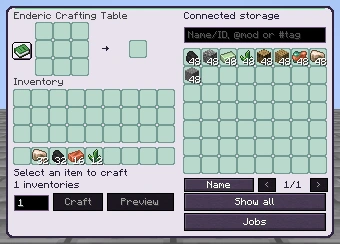 Actual in-game interface
Less inventory juggling
A base that
works together.
Bring inventories into one crafting terminal. Install patterns for crafting and machine processing, request what you need and let stocked deliveries keep supplies ready.
Recipe Tree stays close at hand for recipes, uses, ingredient planning and step-by-step guides.
The mod, as you will see it
Made for Minecraft.
Current game assets and real screenshots. Explore a vault, inspect a workshop and get a closer look at the systems in action.
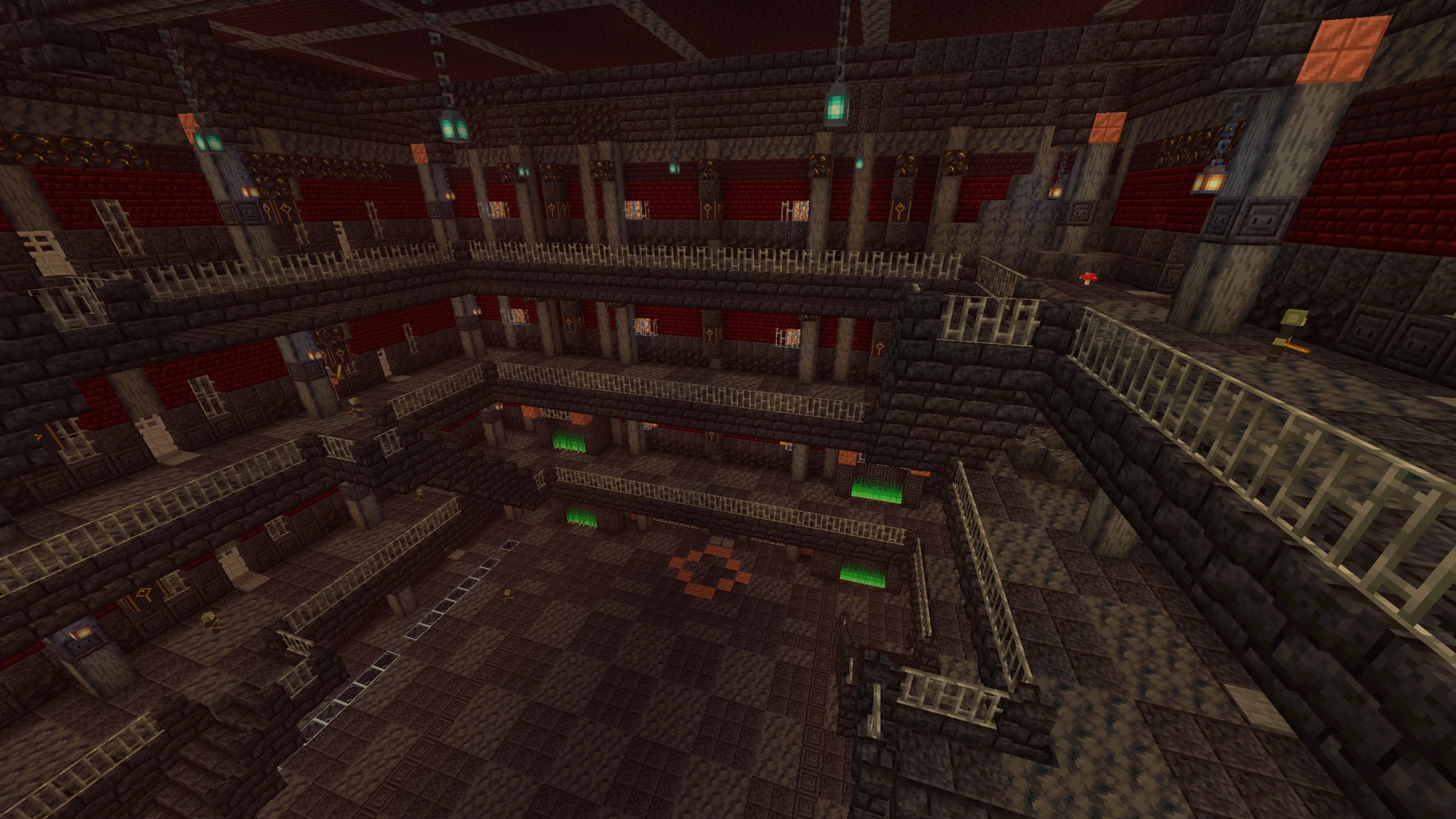
A guide that grows with the mod
Find your
next step.
Browse the web wiki here, or open Guides from Recipe Tree inside Minecraft. Recipes, controls, server settings and gameplay numbers are documented together.
Your next world starts here
Play
Experience Works.
Minecraft Java Edition 26.3
Fabric Loader 0.20.1 or newer · Java 25
1.0.0 · updated 23 November 2026 · SHA-256 checksum
Bring it into your game
- Create a Fabric profile for Minecraft Java 26.3.
- Add Fabric API and the downloaded Experience Works JAR to the profile’s
modsfolder. The energy API is bundled. - Launch, open Recipe Tree with R and choose Guides.
This is an active development build. Full modpack compatibility and performance testing are planned for feature completion. The possible NeoForge port is a future project.
Read installation & first steps